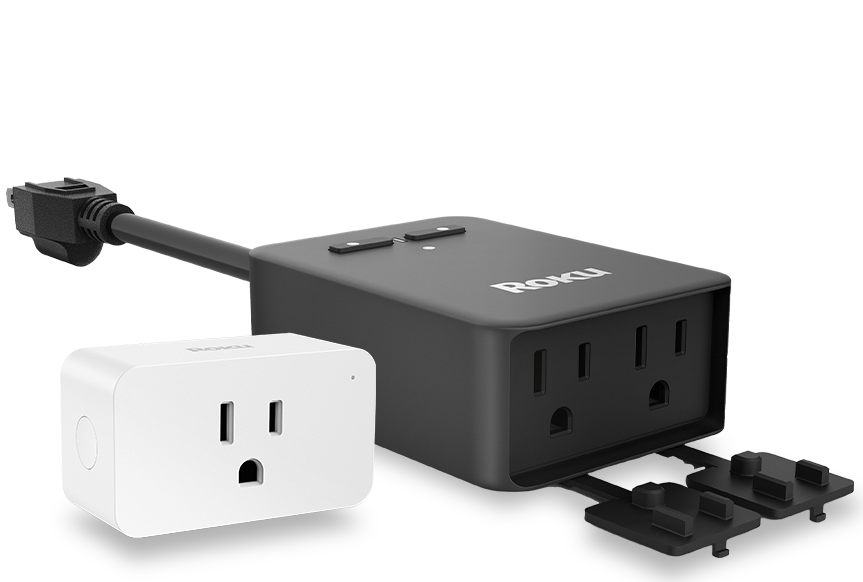
Plugs
Control power to your indoor or outdoor devices
Ready to shop?
Have more power over your power
On when you need it, off when you don’t. Automated, voice-enabled plugs help you get smart about energy.
Plug in wherever
Power up indoor or outdoor devices. Just plug into any compatible outlet to get things running.
Set it and forget it
Create and save custom schedules in the Roku Smart Home app so your devices power up automatically.
Voice-enabled
Control your plugs using just your voice with Roku Voice, Alexa, or a Google Assistant-enabled device.
Power up or down from anywhere
Check the status of your devices and switch them off with just a tap in the Roku Smart Home mobile app.
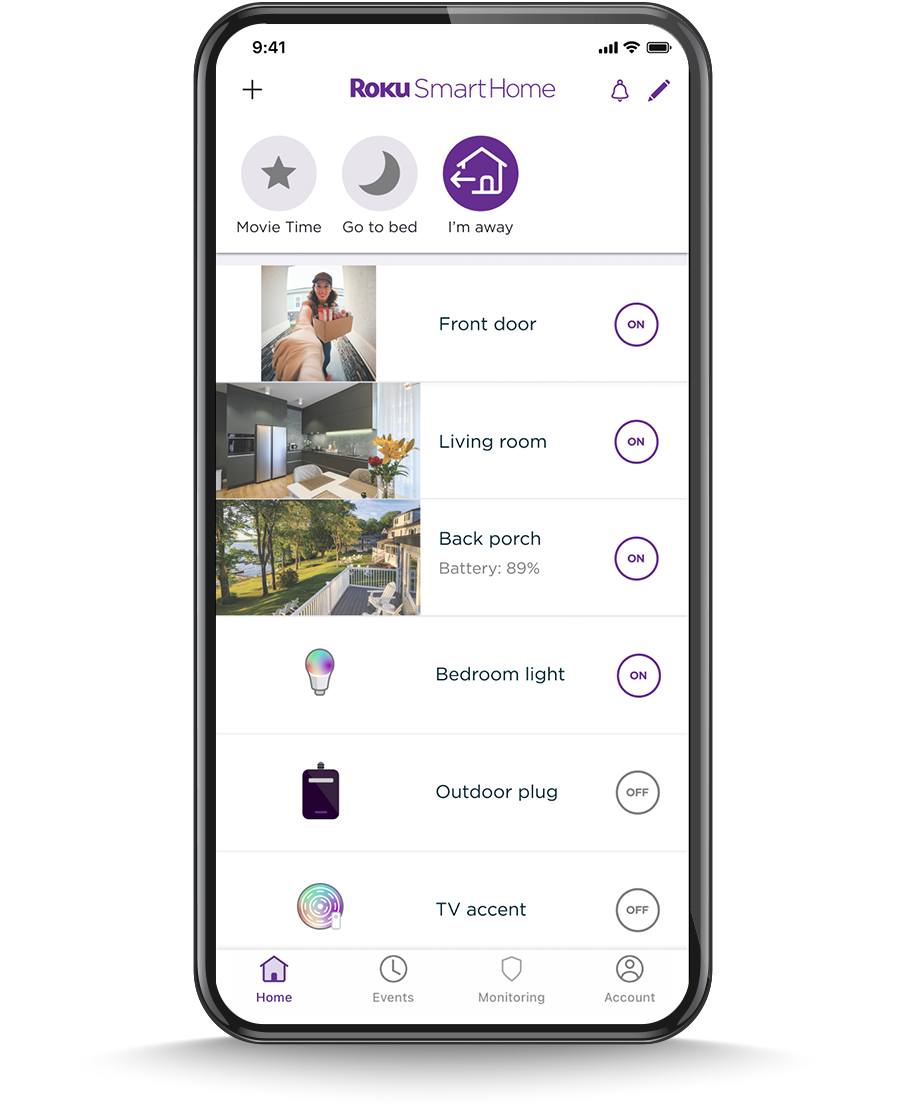
See it all. Control it all. From anywhere.
Manage your smart home devices in the Roku Smart Home mobile app.
Frequently Asked Questions
What are smart plugs for?
Ever get cozy in bed and then realize you forgot to turn the fan on? Smart plugs can help with that. Roku smart plugs can turn an everyday electrical device into a smart device. It allows you to control power to an electrical device remotely—switch it on, off, or create a schedule for the plug to run power to your device automatically. You control your electrical outlet right from your smartphone. How smart is that?
What devices do smart plugs work with?
Smart plugs work with a variety of household devices, including lamps, chargers, air conditioners, fans, curling irons, air purifiers, and more. If you have a device you’d like to automate with a smart plug, check compatibility before purchasing a Roku smart plug. Some devices may enter standby mode or return to default settings when turned on with a smart plug.
Do smart plugs need Wi-Fi®?
A Wi-Fi® connection is needed to operate all Roku Smart Home devices. Roku Smart Home devices operate on a 2.4GHz network, so if you have both a 5GHz and 2.4GHz connection, make sure to connect to your 2.4GHz network during setup. If your Wi-Fi® gets disconnected for any reason, simply unplug your smart plug and use your outlet normally until it’s back up again.
Explore all products
Terms & conditions
*Roku is offering free USPS ground shipping on all Streaming Player, Smart Home, and Accessory products purchased on Roku.com, or a Roku device, for a limited time only. First-party Roku TVs are excluded from free shipping. Offer only valid in the United States, Puerto Rico, and U.S. Virgin Islands. Void where prohibited. Roku may change or terminate this offer at any time without notice. Orders received by 12:00 PM ET Monday-Friday will be shipped same day. Orders received between 12:01 pm ET Friday through 12:00 pm ET Monday will be shipped Mondays. Allow 1-3 days for delivery after package is shipped. All dates are estimated and exclude federal holidays.
For products purchased from the Roku.com website (www.roku.com) there is a 30-day money-back guarantee from the date your order ships and your payment method is charged. Learn more about Roku's return policy.
What should you know?
First 3 months of service free when you sign up for a monthly individual camera plan. After 3 months, your credit card will automatically be charged $3.99/month per subscribed camera, until canceled. This offer is valid for up to 5 cameras per account and can only be redeemed once per camera.
Use of all Roku Smart Home products and services is governed by the Roku Smart Home End User Agreement and other applicable terms available here (https://www.roku.com/legal).
Amazon, Alexa and all related logos are trademarks of Amazon.com, Inc. or its affiliates. Alexa enabled device is required to work with Alexa. Google and Google Home are trademarks of Google LLC. Google Assistant-enabled device required. Third party features and services may be subject to change or removal without notice.